« Saturday

Stockton STEM Badge LEDs
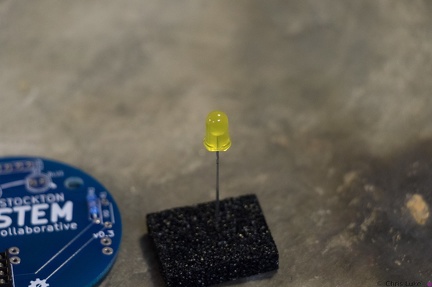
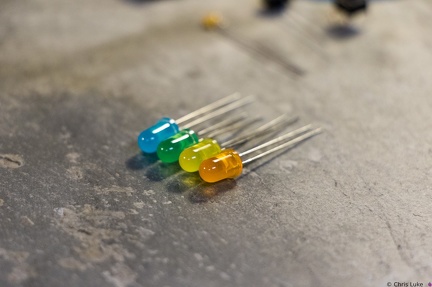
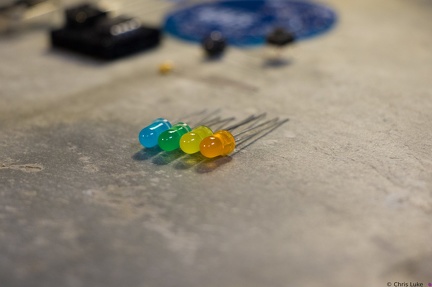
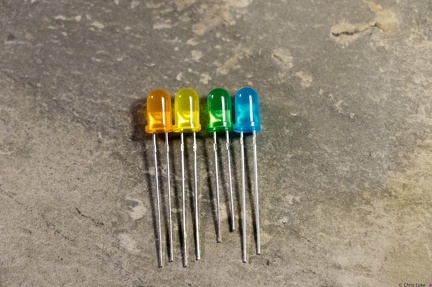
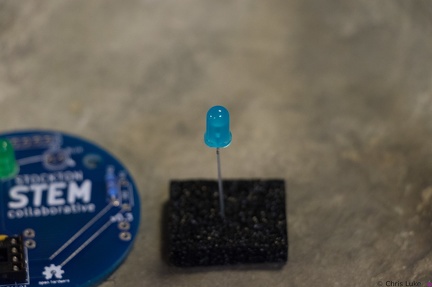
Notice how the LEDs typically have one leg longer than the other; this is called the "anode". The colored case also has one flat side, opposite the longer leg; the leg on this side is called the "cathode". Also, note the distinctive shape of what is inside the colored case; this can also be used to help determine its orientation. The gap at the top of the metal surface is always on the anode side. LEDs can only be used the right way round so determining orientation is important.
Stockton STEM Badge LEDs
The case of an LED can crack if the legs are bent too close to it; even after placing the LED on the board, only bend the legs slightly to hold it in place.
Stockton STEM Badge capacitors
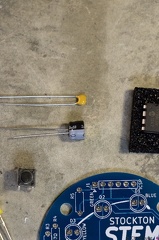
The capacitors smooth the power on the badge. The top capacitor, is not polarity sensitive; that is, it can be used either way round. The other capacitor must be used only the correct way round; the case has a "-" symbol printed on it.
Stockton STEM Badge LEDs
While all components can be destroyed with an excess of heat during soldering, LEDs are especially susceptible to this.
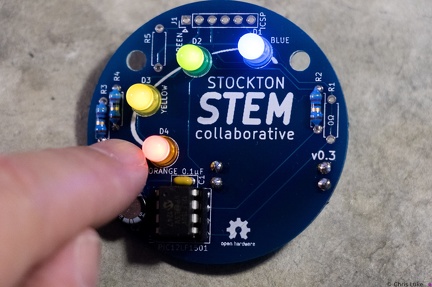
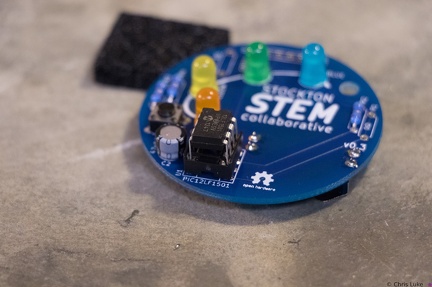
Stockton STEM Badge completed
Press the button to start the lights!
Stockton STEM Badge LEDs
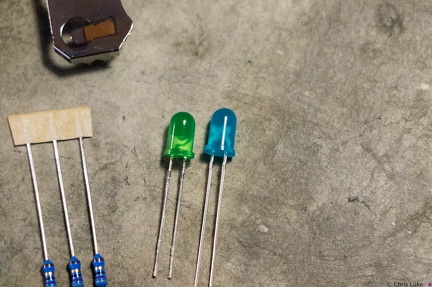
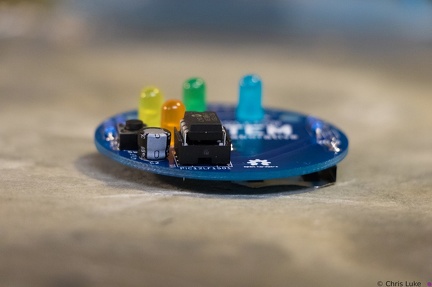
Green and blue LEDs
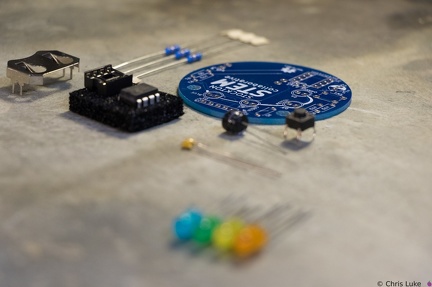
Stockton STEM Badge components
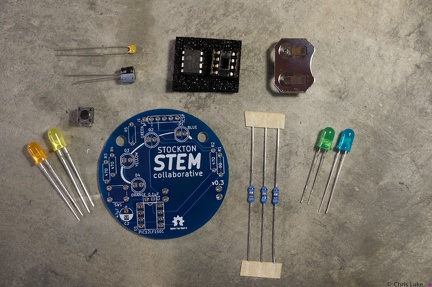
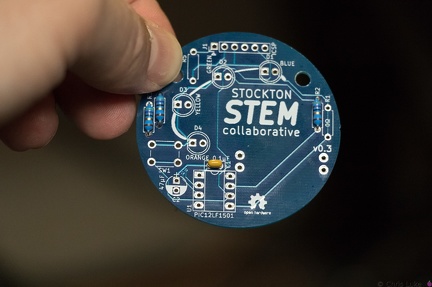
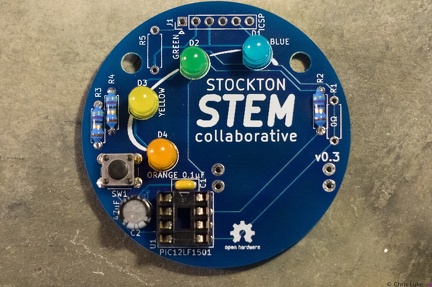
The badge consists of a handful of electronic components. Components R1, R5 and J1 are not normally populated.
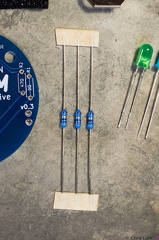
Stockton STEM Badge resistors
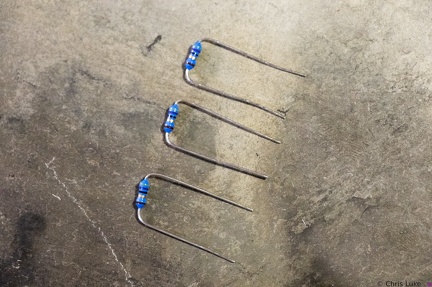
These are 47 ohm resistors; they limit the current supplied to the orange, yellow and green LEDs. The blue LED does not require one.
Stockton STEM Badge LEDs
The footprint for the LEDs also shows a flat edge; orientation of the LEDs needs to match that of the board.
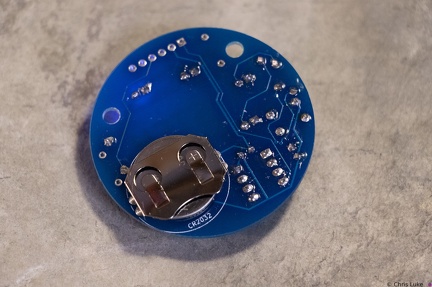
Stockton STEM Badge battery
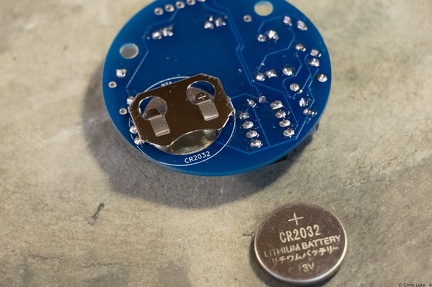
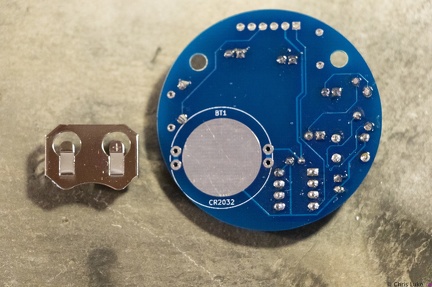
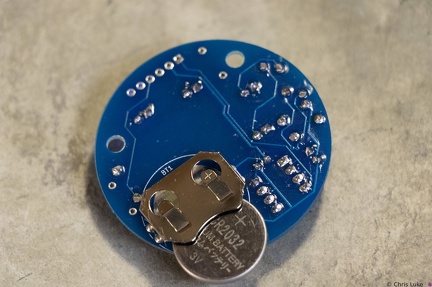
The battery is a typical CR2032 button cell. Notice which side the "+" is on.
Stockton STEM Badge IC and socket
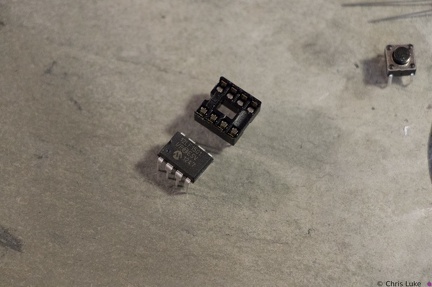
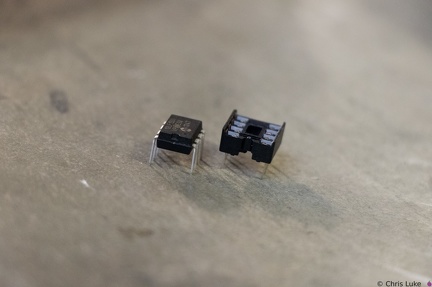
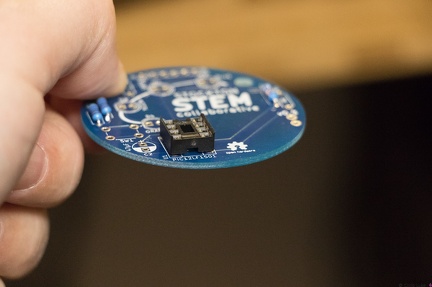
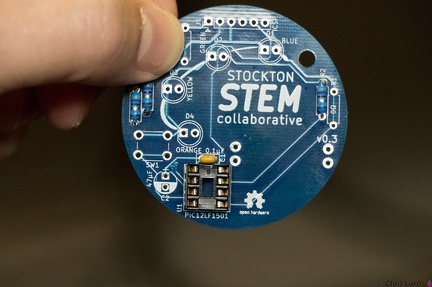
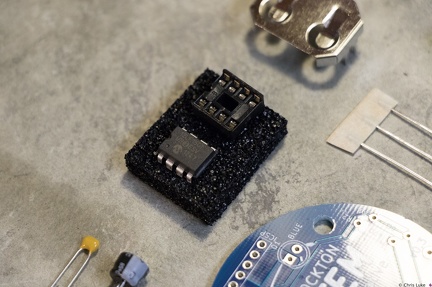
The chip, an integrated circuit, or IC, must also be used the correct way round. Both the chip and its socket have a notch at one end to identify its orientation.
Stockton STEM Badge components
Stockton STEM Badge IC
Once pushed all the way in, the IC may sit above the socket, but it will be parallel to it.
Stockton STEM Badge electrolytic capacitor
Electrolytic capacitors are polarity sensitive; note the "-" symbol on one side of the capacitor package. These capacitors typically have a larger capacity than their ceramic counterparts and are used for bulk storage; this one is used to assist the battery when the LEDs turn on. This is necessary because button cell batteries are not designed to provide as much power as the LEDs can demand.
Stockton STEM Badge IC socket
Soldered legs.
Stockton STEM Badge button
The push-button switch will fit two ways. Orientation does not matter.
Stockton STEM Badge IC socket
Soldering one leg first and checking that the socket is flat against the board avoids a simple mistake. If it is not flat, or otherwise misaligned simply re-heating the leg will help correct the issue. Once orientation and alignment is verified, solder the remaining legs. Sometimes a small shim, such as the black foam here, can help keep the board level and simplifies the task.
Stockton STEM Badge battery
The battery should sit snugly under the holder.
Stockton STEM Badge LEDs
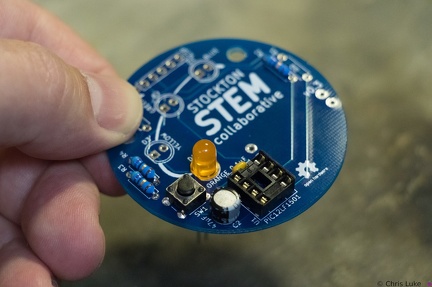
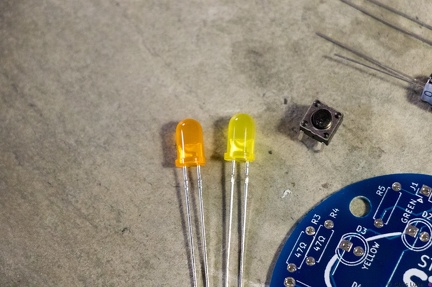
Stockton STEM Badge LEDs and button
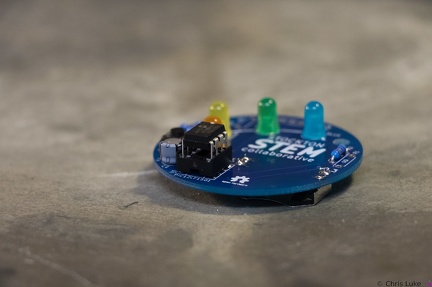
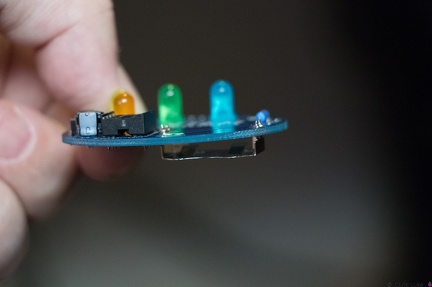
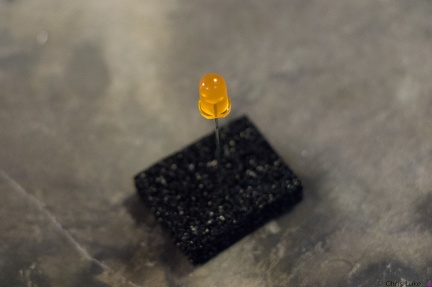
Orange and yellow LEDS. The pushbutton switch allows a person to control the badge.
Stockton STEM Badge battery
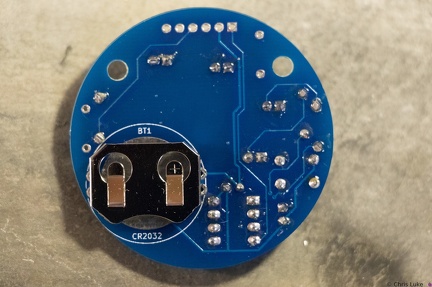
Note the orientation of the holder; reversing it will make it difficult to insert the battery later.
Stockton STEM Badge IC
The IC pins need to be straight and line up with their receptacles in the socket.
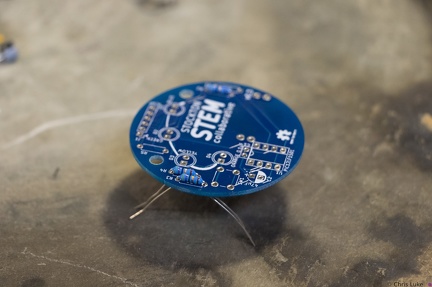
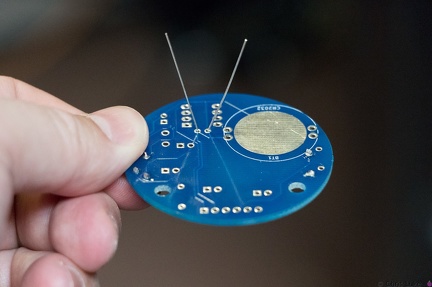
Stockton STEM Badge resistor legs
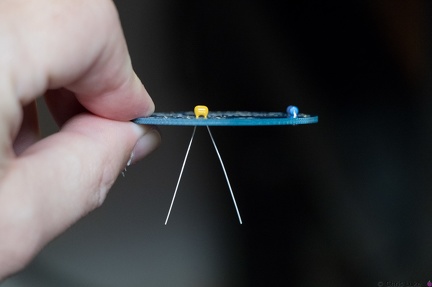
The legs are then carefully bent to about 45 degrees to hold the resistor in place for soldering.
Stockton STEM Badge battery
Note the orientation of the battery. The "+" side contacts the battery holder.
Stockton STEM Badge battery
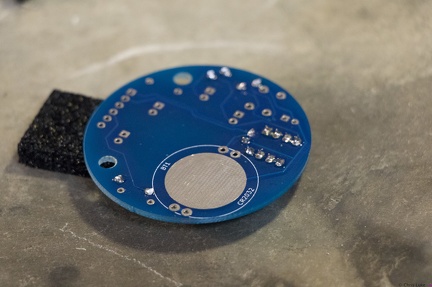
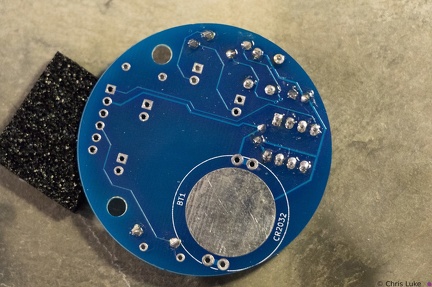
The battery holder is a simple metal cage that solders to the underside of the board.
Stockton STEM Badge IC and socket
The legs of the chip need to be straight otherwise they will not properly insert into their positions in the socket. It is easy to bend or break the legs if care is not taken.
Stockton STEM Badge decoupling capacitor
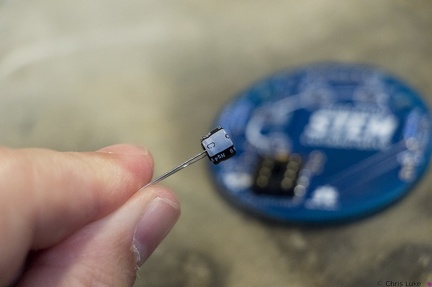
As with the resistors, the legs should be splayed a little to help hold it in place for soldering.
Stockton STEM Badge electrolytic capacitor
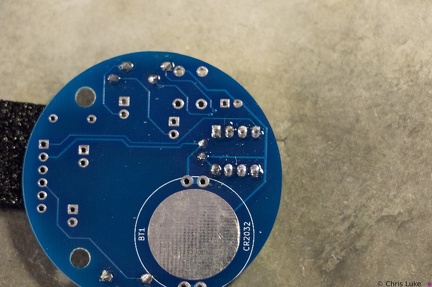
Orientation of this capacitor is important. There is a "+" symbol in the footprint of the component printed on the board; the "-" of the capacitor should be on the opposite side.
Stockton STEM Badge IC
When inserting the IC, firm but controlled pressure is needed to avoid bending the pins.
Stockton STEM Badge battery
It is possible for the holder to become hot during soldering; be careful when handling immediately after soldering.
Stockton STEM Badge LEDs
Stockton STEM Badge decoupling capacitor
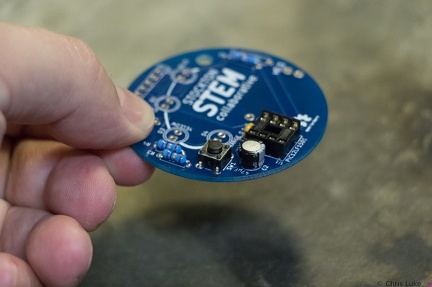
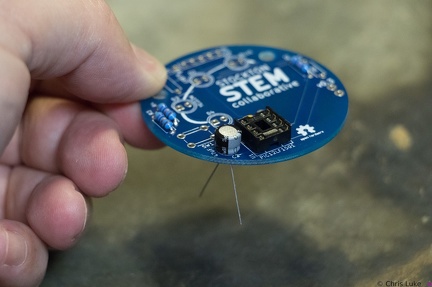
The capacitor should sit flush with the board.
Stockton STEM Badge decoupling capacitor
This ceramic capacitor is not orientation sensitive. Decoupling means it absorbs electrical noise and is used to filter the power feeding the microcontroller.
Stockton STEM Badge LEDs
All the LEDs have been soldered. Notice that they all have the same orientation; the flat edge is to the left.
Stockton STEM Badge resistor legs
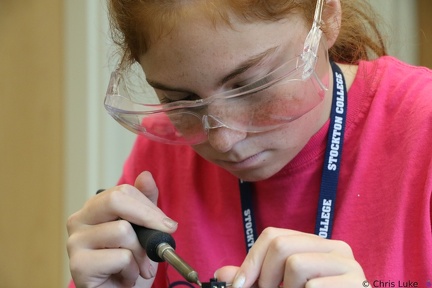
Soldered legs; only a small amount of solder is needed and it heat should be applied only briefly.
Stockton STEM Badge resistor legs
The legs are passed through the board holes; they may need pulling firmly, but not too firmly, with pliers to pull the resistor body flush with the board.
Stockton STEM Badge resistor legs
The legs are trimmed, the excess removed with side-cutters.
Stockton STEM Badge IC
Make sure the IC is correctly aligned before pushing it in.
Stockton STEM Badge IC socket
The IC socket should lay flat against the board.
Stockton STEM Badge button
As with the IC socket, soldering one leg first and verifying component alignment will help prevent easy mistakes.
Stockton STEM Badge IC socket
Note the orientation of the indent at the upper edge of the IC socket.
Stockton STEM Badge resistor legs
The resistor legs need to be bent in order to insert them into the board.
Stockton STEM Badge boards
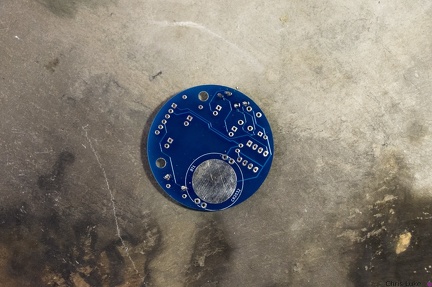
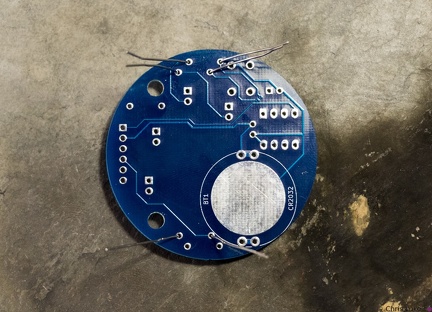
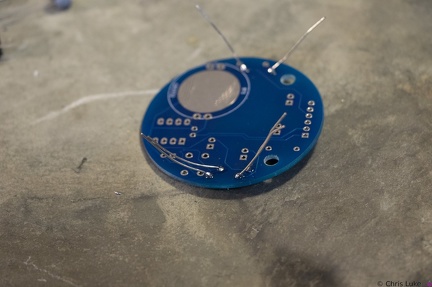
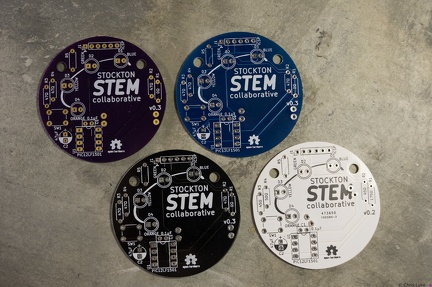
The badge printed circuit board (PCB) comes in several colors.
Stockton STEM Badge LEDs
LEDs have a flat edge on one side of their case.
Stockton STEM Badge microcontroller
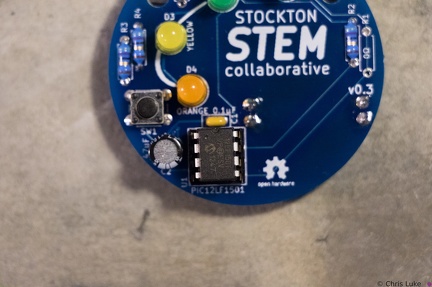
The chip is an inexpensive "PIC" microcontroller; this runs a program that controls the LEDs.
3C2A5209
3C2A5179
Merlin's Cave
3C2A5183
3C2A4877
3C2A5193
3C2A4889
3C2A4893
3C2A5026
3C2A4903
3C2A5021
3C2A6486
3C2A4857
3C2A6479
3C2A4900
3C2A5007
3C2A4869
3C2A5123
3C2A6491
3C2A5023
3C2A5202
3C2A6483
3C2A5036
3C2A5108
3C2A4887
3C2A4866
3C2A4865
3C2A4973
3C2A6477
3C2A5008
3C2A4871
3C2A4906
Mathematical Bridge
3C2A4992
3C2A4863
3C2A6474
3C2A6471
3C2A4995
3C2A4978
3C2A4969
3C2A5001
3C2A4904
3C2A4912
3C2A6533
3C2A5118
3C2A5030
3C2A4976
3C2A6495
3C2A5076
3C2A4821
3C2A4920
3C2A6606
3C2A4971
3C2A6467
3C2A4991
3C2A6470
3C2A4663
3C2A4590
3C2A6532
3C2A5006
3C2A4876
3C2A5086
3C2A4919
3C2A6614
3C2A6538
3C2A4771
3C2A6561
3C2A6505
3C2A4974
3C2A4856
3C2A4929
3C2A6563
3C2A6587
3C2A6468
3C2A5106
3C2A6496
3C2A6497
3C2A6464
3C2A4975
3C2A6529
3C2A6610
3C2A5050
3C2A6540
3C2A6549
3C2A5040
3C2A6502
3C2A6565
3C2A6536
3C2A6510
3C2A6550
3C2A6578
3C2A6577
3C2A6530
3C2A6553
3C2A6591
3C2A6560
3C2A6607
3C2A6558
3C2A6554
3C2A6499
3C2A6590
3C2A6501
3C2A6604
3C2A6593
3C2A6559
3C2A6525
3C2A6557
3C2A6547
3C2A6680
3C2A6517
3C2A6600
3C2A6634
3C2A6641
3C2A6635
3C2A6646
3C2A6648
3C2A6669
3C2A6629
3C2A6653
3C2A6642
3C2A6651
3C2A6698
3C2A6628
3C2A6662
3C2A6684
3C2A6649
3C2A6627
3C2A7395
Piper vs. Apollo
3C2A6717
3C2A6996
3C2A6848
3C2A6769
3C2A6719
3C2A6857
3C2A6716
3C2A6714
3C2A6767
3C2A6754
3C2A6907
3C2A7016
3C2A6745
3C2A6826
3C2A6785
3C2A6817
3C2A6786
3C2A6737
3C2A6735
3C2A6916
3C2A6775
3C2A6797
3C2A6852
3C2A6791
3C2A6747
3C2A6864
3C2A6806
3C2A6853
3C2A6752
3C2A7021
3C2A7283
3C2A6751
3C2A6803
3C2A7158
3C2A6911
3C2A6771
3C2A6861
3C2A7153
3C2A6795
3C2A6818
3C2A6777
3C2A7187
3C2A7034
3C2A7040
3C2A7026
3C2A7025
3C2A7197
3C2A7031
3C2A7259
3C2A7244
3C2A7024
3C2A7141
3C2A7120
3C2A7100
3C2A7119
3C2A7241
3C2A7080
3C2A7252
3C2A7242
3C2A7202
3C2A7237
3C2A7248
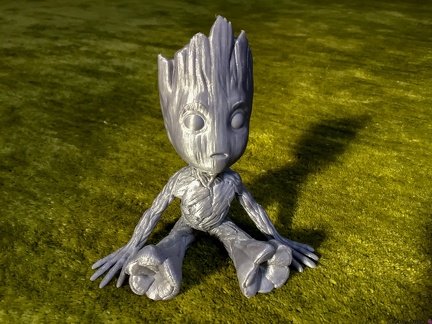
Baby Groot
3C2A7218
3C2A7277
3C2A7272
3C2A6623
3C2A7263
3C2A7306
3C2A7226
3C2A7236
3C2A7220
3C2A7232
3C2A7345
3C2A7338
3C2A7224
3C2A7326
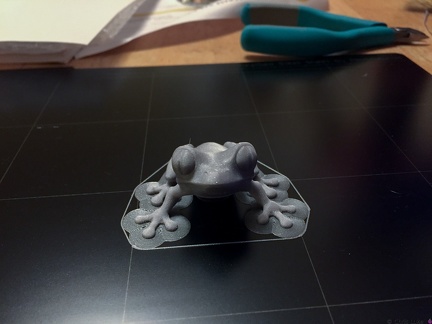
Treefrog
3C2A7385
3C2A7364
3C2A7374
3C2A7342
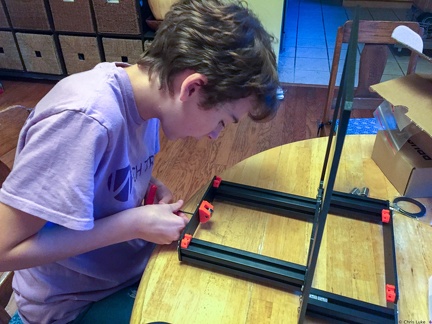
X and Z axis
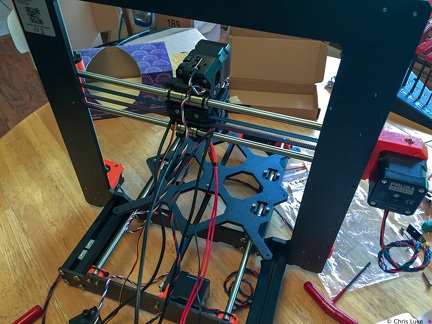
Cables everywhere
3C2A7351
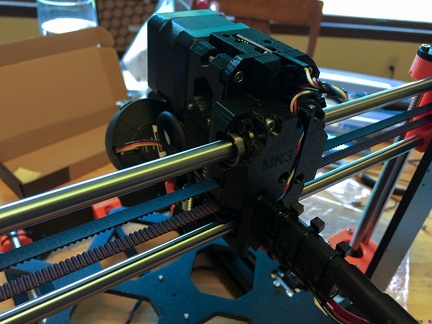
Hotend fan
3C2A7365
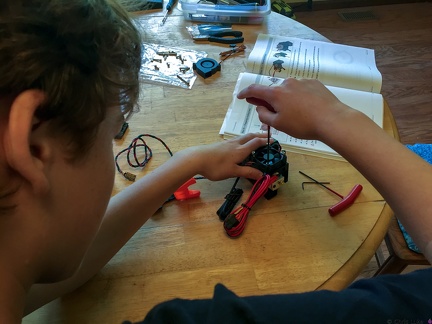
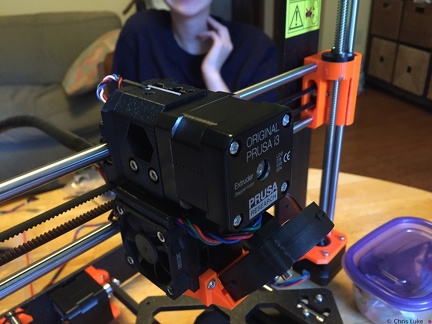
Print head cables
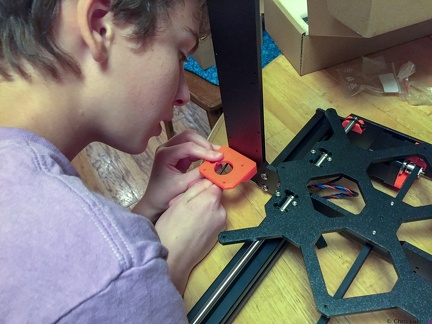
Z-axis motor mounts
Printhead rear
Z-axis motor mounts
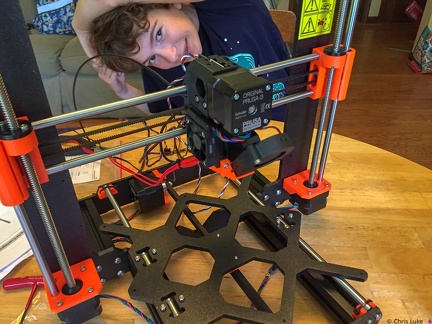
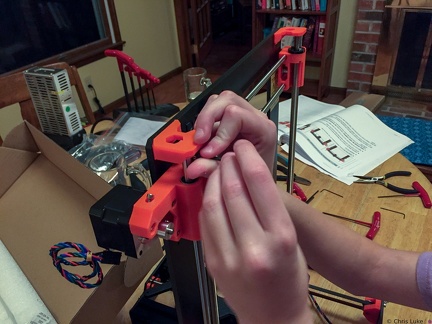
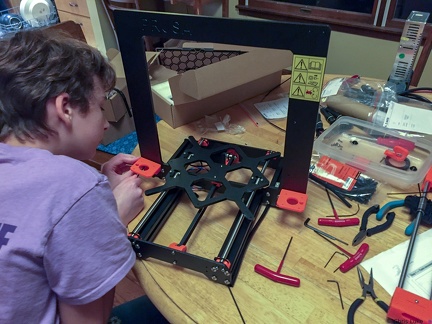
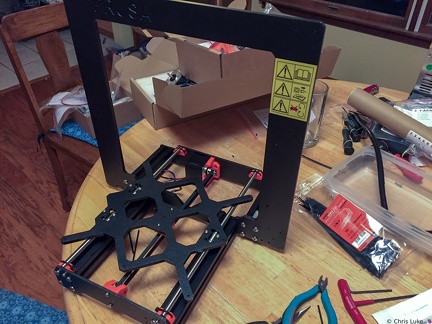
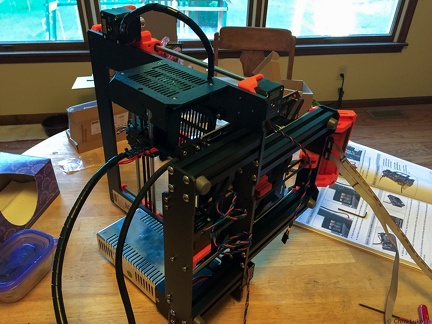
Taking shape
Printhead front
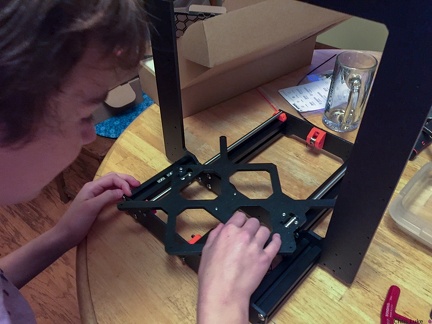
Testing the slide of the bed
Y-axle idler pulley
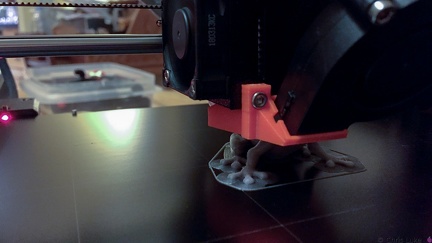
First print in progress
The cables have to go somewhere- 2015-01-27 003
- 2015-01-27 004
- 2015-01-27 002
- 2015-02-02 001
- 2015-01-27 001
- 2015-01-25 011
- 2015-02-02 002
- 2015-01-27 005
- IMG 5927
- 2015-01-25 012
- 2015-01-25 007
- 2015-02-01 009
- IMG 5932
- 2015-02-01 010
- 2015-01-25 009
- IMG 1432
- 2015-02-06 005
- IMG 5926
- IMG 4077
- 2015-01-25 010
- 2015-01-25 001
- IMG 1421
- IMG 5933
- 2015-01-25 005
- IMG 5931
- 2015-02-01 007
- IMG 1422
- IMG 5925
- IMG 1440
- 2015-01-26 017
- 2015-01-25 006
- 2015-01-25 013
- 2015-01-27 006
- 2015-02-06 003
- IMG 5907
- 3C2A3239
- 2015-02-01 008
- 2015-01-27 007
- IMG 5879
- IMG 4093
- IMG 5904
- IMG 5862
- IMG 1431
- 2015-01-17 015
- 2015-01-25 004
- 2015-02-02 003
- IMG 5859
- 2015-02-06 006
- IMG 1438
- IMG 5928
- 2015-01-17 016
- IMG 5937
- IMG 4097
- IMG 4081
- 2015-01-25 003
- 2015-02-01 006
- 2015-02-04 001
- IMG 5922
- IMG 1423
- IMG 5860
- IMG 1448
- IMG 1445
- IMG 1441
- 2015-01-17 011
- 2015-02-06 001
- 114 1491
- 2015-01-26 001
- 2015-01-26 016
- IMG 5921
- 2015-01-26 002
- IMG 1443
- IMG 5853
- IMG 4071
- 2015-02-05 004
- IMG 5871
- IMG 1433
- IMG 1446
- 114 1486
- 2015-02-01 005
- IMG 1447
- 3C2A3279
- 2015-02-05 002
- IMG 5873
- 2015-01-26 012
- 2015-02-05 001
- IMG 1425
- IMG 4058
- IMG 5924
- 3C2A3309
- 3C2A3318
- IMG 5869
- grbl
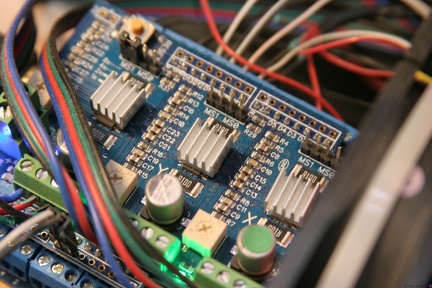
The grbl controller; underneath this stepper driver is an Arduino Uno and a breakout board. - IMG 0870
- 2015-02-01 003
- 3C2A3266
- 2015-01-17 001
- IMG 5909
- 2015-01-27 008
- 114 1493
- 2015-01-27 009
- IMG 5875
- 2015-01-26 015
- IMG 4087
- IMG 4070
- IMG 5936
- 2015-01-25 002
- 3C2A3294
- IMG 4078
- 3C2A3282
- 2015-02-02 004
- IMG 4088
- 3C2A3306
- 2015-01-25 021
- IMG 5854
- 2015-01-26 003
- 2015-01-17 008
- IMG 4056
- 2015-01-25 014
IMG 4482- 2015-01-17 003
- 114 1492
- IMG 5919
- 2015-01-17 010
- IMG 5944
- IMG 5923
- IMG 5915
- IMG 5891
- IMG 5934
- 114 1487
- IMG 5880
- IMG 5876
- IMG 5935
- IMG 1429
- IMG 4102
- IMG 1430
- IMG 4101
- IMG 5943
- IMG 4080
- IMG 4091
- 2015-01-17 017
- IMG 5882
- 2015-01-17 006
- 2015-01-17 007
- 114 1490
- IMG 5939
- IMG 4072
- 2015-01-25 015
- IMG 4054
- IMG 5938
- IMG 4057
- 2015-01-27 012
- 2015-02-01 004
- 2015-01-17 004
- IMG 0873
- 2015-01-17 005
- 2015-01-26 009
- IMG 0872
- 114 1488
- IMG 5865
- IMG 5910
- 2015-01-27 011
- 2015-01-17 009
- IMG 1427
- IMG 0871
- 3C2A3300
- IMG 5874
- IMG 4099
- 3C2A3261
- 2015-01-25 020
- IMG 0869
- 2015-01-27 010
- IMG 5883
- IMG 1444
- IMG 5914
3C2A6625- 3C2A3324
- 3C2A3249
- IMG 4094
- 114 1494
- 2015-01-26 014
- IMG 5881
- 3C2A3295
- 2015-01-26 004
- IMG 4064
- IMG 5946
- IMG 4092
- 2015-01-26 007
- IMG 4086
- IMG 5940
- 3C2A3290
- 2015-01-26 005
- IMG 4095
- IMG 5888
- 2015-01-26 010
- 2015-01-26 011
- 2015-01-17 002
- IMG 5892
- IMG 0850
- 2015-01-26 008
- IMG 5884
- IMG 5890
- 3C2A3297
- IMG 4055
- 3C2A3330
- IMG 4096
- IMG 5917
- IMG 5945
- 3C2A3331
- 3C2A3304
- IMG 8108
- IMG 5912
- IMG 5908
- 3C2A3251
- 2015-01-26 006
- 3C2A3292
- 2015-01-25 016
- 3C2A3332
- IMG 0868
- 2015-01-25 019
- IMG 5941
- 114 1489
- 3C2A3284
- IMG 0864
- IMG 0863
- 3C2A3341
- IMG 0856
- 2015-01-25 018
- IMG 0848
- IMG 0855
- 2015-01-25 017
- 114 1495
- IMG 0865
- 3C2A3288
- IMG 6000
- IMG 8109
- IMG 0861
- IMG 0862
- IMG 0860
- IMG 0851
- IMG 8100
- IMG 0854
- IMG 8104
- IMG 8107
- IMG 0847
- IMG 0853
- IMG 0849
- IMG 0859
- IMG 8099
- IMG 0858
- IMG 6001
- IMG 8098
- IMG 0852
- IMG 0857
- IMG 8106
- IMG 0866
- IMG 8095
dsc00002- IMG 8101
- IMG 8097
- IMG 6002
- IMG 0867
- b0013
Wasp [1/2] - b0030
Merlin [4/4] - IMG 1072
- IMG 8102
- IMG 1079
- IMG 0652
- IMG 8096
- DSC00208
The Table 2002-04-28 The current state of the table. The foliage in the previous two pictures is centre right. The white splotches are experiments with two types of plaster, partly to hold the track in place (and level) and partly for scenic effect. - DSC00150
The Digitrax controller This is the controller of this layout, a Digitrax DCS-100 DCC controller. - 114 1496
- IMG 0654
- DSC00206
The first scenery 2002-04-28 The first area of scenery is started. Here we have some grass and bushes. - IMG 5336
- IMG 0649
- DSC00135
Under the Table 2002-02-17 An example of the structure of the wooden frame. Very simple, sturdy enough. - IMG 1080
- DSC00291
- IMG 0651
- b0014
Wasp [2/2]
dsc00015- DSC00148
The Table 2002-02-24 An update - two loops of track, a reversing double "wye" in the centre with the points/turnouts in the process of being wired. - IMG 0650
- DSC00403
- IMG 5342
- IMG 5344
- IMG 0647
- IMG 0653
- IMG 5351
- DSC00210
The Flying Scotsman 2002-04-28 The Flying Scotsman up close with some plaster simulating the effects of rocks/debris between the two sets of track. The plaster will, if kept, eventually be coloured. - IMG 0672
- IMG 0648
dsc00003- IMG 0670
- b0016
Tigger [1/2] - DSC00402
dsc00020
dsc00005- IMG 8173
- P0000034
- b0012
Tulips
dsc00006- IMG 0675
- DSC00207
The first scenery #2 2002-04-28 More of that foliage. - DSC00133
The Table #2 2002-02-17
dsc00016- DSC00151
The power management unit This is a Digitrax PM-4 power controller. On this layout, all the outputs are used for short circuit detection.
dsc00004- IMG 0657
- IMG 0656
- b0011
Pansies [2/2] - b0017
Tigger [2/2] - IMG 0665
dsc00019- IMG 0646
dsc00014- P0000073
- IMG 8161
- 133 3339
I fired it up... So, I took it outside, just to fire up the engine. Nobody else around to take pictures, so this is after the event. They definately make good lawn mowers - notice all the grass and grass stains. I'm so far away from flying this thing (still practising on the simulator) but I thought it would be good to give the engine and mechanics some exercise before it does fly. These things are not quiet!
dsc00007- IMG 0673
- IMG 0655
- IMG 8171
- IMG 0659
- IMG 0660
- IMG 1078
- IMG 0671
- b0026
Dartmouth Street - IMG 8172
- IMG 8174
- IMG 0658
- P0000037
- IMG 5338
dsc00022- b0010
Pansies [1/2] - P0000038
dsc00021- IMG 0674
- DSC00514
- P0000072
- P0000039
- IMG 8162
- IMG 8164
dsc00017- P0000036
- P0000045
- P0000071
- DSC00512
- IMG 8157
dsc00008- IMG 0666
- IMG 8169
- 105 0558
- IMG 8159
- 133 3337
Wires/servos Much cabling. Notice how I had to trim some of the servo "horns" - they interfered with the ball-link attachments. - 133 3336
Busy busy There's a lot going on with this machine. - 133 3335
The electronics arrived All the servos are on, the receiver is mounted and hooked up. - IMG 0661
- DSC00498
Lyn and pre-wedding drinks - IMG 8167
- IMG 8152
- b0021
The sky - IMG 8175
- DSC00131
The Table 2002-02-17 This is the table, a simple wooden frame with regular domestic insulation styrofoam as a surface. Here, it has been primered with Glidden "Aquacrylic Primer Ultra-Hide Gripper". - IMG 0668
dsc00018- IMG 8166
- DSC00513
- P0000066
- P0000070
- IMG 0645
- IMG 5352
dsc00013- 105 0559
- b0008
Heart-somethingorothers [4/4] - IMG 8160
- IMG 8156
- 133 3338
The radio I decided to start small. A 6-channel JR transmitter. It came with the servos and a 7-channel receiver. - b0019
Bird in a tree [1/2] Can you spot the bird? - IMG 8155
- IMG 8183
- IMG 0664
- DSC00152
A stationary decoder This is an example of the decoder used to control the points/turnouts. I wrote the switch address of each port on the connector for diagnostics sake. - b0020
Bird in a tree [2/2] ...it's in there somewhere - IMG 0669
- b0022
A plane - IMG 8158
- DSC00511
- IMG 0662
- P0000067
dsc00023- IMG 8189
dsc00009- IMG 8187
- IMG 0667
- IMG 8176
- IMG 0663
- b0027
Merlin [1/4] - 150 5072
- IMG 8195
- IMG 8165
- DSC00515
- IMG 8154
- DSC00503
- b0028
Merlin [2/4] - IMG 8188
- b0029
Merlin [3/4] - DSC00566
- IMG 8190
- IMG 8163
- 105 0557
- P0000046
- IMG 8192
- 105 0547
- 105 0507
- b0018
A bird Might be a goose - IMG 8151
- DSC00502
- IMG 8191
- IMG 8170
- IMG 8193
- P0000035
- P0000068
- 105 0563
- 105 0506
dsc00010- DSC00519
- IMG 8153
- b0023
Air Canada [1/3] - IMG 8177
- IMG 8185
- b0025
Air Canada [3/3] - DSC00510
- 105 0556
- IMG 8184
- IMG 8168
- 104 0447
- DSC00500
- DSC00516
- IMG 8178
- DSC00522
- P0000069
- DSC00505
- P0000065
- IMG 7821
- P0000063
- DSC00520
- b0024
Air Canada [2/3] - b0007
Heart-somethingorothers [3/4] - P0000077
- IMG 7906
- 105 0560
- 105 0561
- IMG 8181
- 122 2295
- 126 2642
- IMG 7891
- IMG 7923
- DSC00508
dsc00012- DSC00605
- DSC00499
- DSC00501
- IMG 7924
- IMG 8194
dsc00011- DSC00567
- IMG 8196
- 105 0508
- 105 0566
- IMG 7868
- IMG 7894
- IMG 7820
- P0000078
- 104 0444
- IMG 7922
- IMG 8179
- IMG 8186
- DSC00523
dsc00024- 105 0555
- DSC00528
- DSC00526
- 104 0446
- 104 0448
- IMG 7804
- 105 0510
- IMG 8180
- 134 3419
- P0000064
- DSC00521
- IMG 9365
- DSC00525
- 100 0041
Merlin - 123 2335
- DSC00524
- IMG 7789
- 134 3412
- IMG 7797
- 122 2293
- b0006
Heart-somethingorothers [2/4] - 105 0546
- 105 0509
- 105 0538
- 126 2645
- IMG 8182
- DSC00506
- P0000047
- 105 0562
- 126 2693
- 100 0040
Merlin - 105 0545
- 134 3418
- 122 2292
- 105 0548
- 104 0445
- 105 0567
- P0000062
- DSC00598
- 2015-01-26 013
- DSC00595
- 105 0543
- DSC00597
- 123 2336
- 105 0542
- 123 2322
- 105 0511
- IMG 7798
- 123 2332
- 150 5071
- IMG 9359
- 123 2337
dsc00030- 147 4759
- 100 1514
- P0000061
- 105 0544
- 105 0541
- 122 2294
- 126 2698
- 128 2894
- 126 2641
dsc00033- 123 2326
- IMG 8886
- 127 2735
- 126 2639
- 123 2324
- 128 2849
- 105 0512
- 150 5070
- 123 2323
- 134 3420
- 104 0477
- 127 2798
- 126 2640
- IMG 9360
- 147 4776
- 123 2335
- 105 0540
- 105 0535
- 105 0539
- 126 2677
- 104 0469
- 126 2682
- 126 2694
- 105 0550
- 126 2644
- 105 0537
- 134 3421
- 104 0476
- IMG 9333
- 105 0504
- DSC00527
- 105 0505
- IMG 9327
- 126 2643
- 104 0449
- 100 1512
- 147 4758
- DSC00600
- b0005
Heart-somethingorothers [1/4] - DSC00599
- 104 0479
- IMG 8887
- 128 2895
- 128 2889
- 147 4775
- 128 2888
- 147 4792
- 128 2864
- 105 0518
- DSC00596
- 104 0478
- 128 2893
- 126 2674
- 134 3422
- 126 2626
- DSC00565
- 123 2334
- 122 2291
- 123 2327
- 128 2890
- 100 1511
- b0001
Dartmouth Street [1/4] - IMG 9374
- b0004
Dartmouth Strete [4/4] - 147 4724
- 128 2898
- 122 2284
- 122 2296
- 104 0455
- 126 2628
- 147 4757
- 126 2623
- 147 4790
- 126 2654
- 123 2325
- 105 0529
- 127 2736
- 104 0500
- 105 0502
- 123 2331
- 105 0513
- 150 5013
- 104 0475
- 147 4755
- DSC00563
- 105 0534
- 147 4725
- 134 3424
- 100 1485
- 126 2675
- 105 0503
- IMG 9336
- 128 2900
- 105 0515
- 100 1515
- 123 2328
- 104 0463
- 150 5019
- 128 2850
- 126 2638
- 126 2692
- IMG 9332
- 147 4797
- IMG 9355
- 100 1516
- 150 5020
- 147 4782
- 147 4780
- 105 0551
- 105 0549
- 147 4785
- 105 0516
- 126 2691
- 105 0532
- 128 2848
- 105 0536
- 147 4791
- 100 1513
- 126 2653
- 148 4803
- 123 2329
- 126 2681
- 147 4752
- 128 2899
- 104 0497
- 126 2695
- 126 2627
- 122 2298
- 123 2340
- 100 1510
- 104 0458
- 100 1482
- 147 4777
- 126 2631
- 126 2625
- 126 2697
- 150 5049
- 150 5016
- 128 2859
- 147 4779
- 150 5022
- 126 2685
- 105 0533
- 104 0456
- 127 2737
- 150 5035
- 134 3427
- 123 2330
- 147 4760
- 126 2688
- 126 2629
- 104 0467
- 123 2311
- 105 0519
- IMG 9339
- 128 2812
- 127 2732
- 123 2333
- 150 5023
- 147 4756
- 147 4783
- 128 2861
- 150 5014
- 128 2885
- 126 2676
- 147 4738
- IMG 9388
- 128 2891
- 104 0496
- 126 2680
- 126 2679
- 126 2624
- 126 2687
- 128 2847
- 128 2870
- 128 2863
- 104 0471
- 128 2855
- 126 2696
- 123 2338
- 114 1497
- 147 4771
- 147 4773
- 127 2739
- IMG 9331